Say the job once. Send the estimate from the driveway.
Priced line by line from your own price book. Any rate you have not set yet is marked.
- Any trade
- Your rates, once you set them
- Nothing priced until you have looked at it
Northline Construction is a fictional business. Every figure is the prototype's sample.
01
Say the job once
Tap Talk and describe the job the way you would tell your crew. Take a second take when you remember something on the way to the truck, or type it.
Nothing is priced until you have looked at it.
Takes
Add as many takes as the job needs, spoken or typed. Every take is kept.
02
Check what it heard
Every spec it took from your words sits beside the words it took it from. Anything it filled in for you says assumed, in amber, until you confirm it, or tap it and change it.
The things you have not mentioned yet, like permits and site conditions, are listed before the estimate goes out, and the ones that are needed say so.
The circles
Tap one to confirm a spec. What you said shows your words; the rest say assumed.
03
An estimate in your numbers
The model reads what you said and pulls out the specs and the quantities. It never prices anything. The code does the pricing, line by line, from your own price book: your rate where you have set one, a regional estimate marked with a * where you have not.
The whole estimate is on the screen in seconds, and every number on it traces back to a rate you can see. Change a line and it gets a new version; the old one stays on the record.
The *
A price from a regional estimate, not your rate. It stays marked on the PDF too.
04
Your copy and the customer's copy
Send to yourself or to the customer from one sheet. Your copy carries every line, your margin, and the notes. The customer's copy carries your business at the top, the job as you described it, and every estimated price marked.
Nothing of yours is on theirs: not your margin, not what you pay for materials, not a note you did not choose to share. Or send a link. The customer opens it and sees only what you chose to share, item by item.
Your copy or theirs
Pick one on the send sheet and it makes that copy. You choose who gets it.
05
The job record keeps everything, and what it cost
The takes, the notes, the photos, what was agreed on site, every version of the estimate and when it was sent, all on one timeline. Nothing on it can be edited or deleted.
When the job is done, what each part cost is set against the estimate, labor included: green at or under, yellow up to 10 percent over, red more than 10 percent over, with a word beside every light. It will not tell you what the job made until every part has a number against it.
Never colour alone
Green, yellow or red always comes with the amount and a word beside it.
06
Your price book and your rules
Setup is your business, your ZIP code, where you buy and your day rate. From there every rate lives in one book: tap one and it is yours, or import your supplier's price list and every match is checked before it lands. A rate you have not set yet is a regional estimate, marked with a * until it is yours.
Set your rules once, like a markup for one part or more time when the stairs are long, and every new estimate follows them. Each rule shows exactly what it changes before it is saved.
The count at the top
How many rates are yours. It climbs as you set them; the rest stay marked.
07
Buy it and record it
The material list comes one per store you buy from, each part under the store you buy it at, with the store's website and a spreadsheet for the pro desk. Nothing goes in a cart: you place the order.
Photograph a receipt and it comes back as chips you confirm: the store, the date, each line and its part, the tax, the total. The code does the sums, and nothing posts to the job until you have confirmed it. Tap a cost you got wrong to correct it; what you recorded first stays on the record.
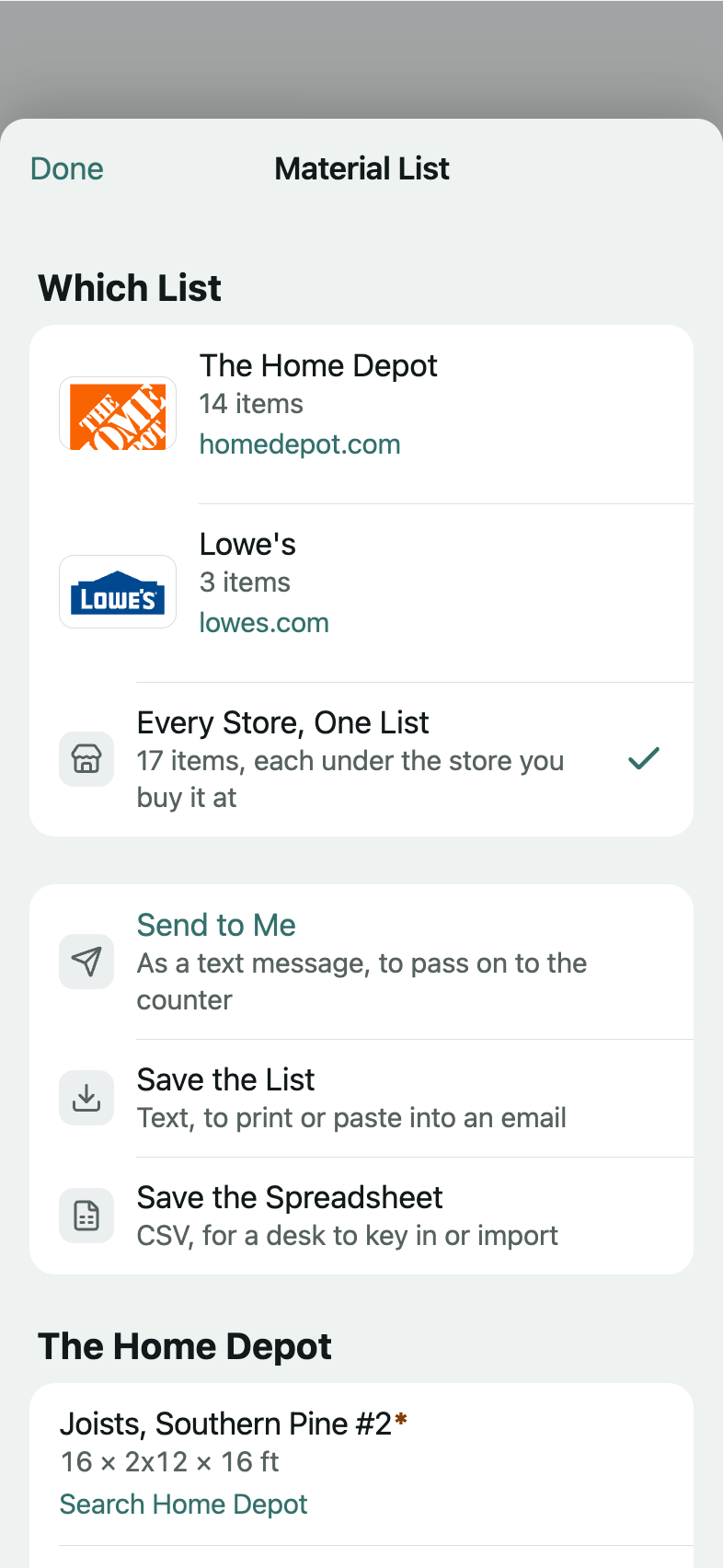
No prices on the list
It goes to the counter, so it carries items and sizes, never what you pay.
08
While the job runs
Every part shows what you have spent against its estimate, and a part that goes past your line is said in words, like over on lumber. Mark the job done and the close-out lists every part beside its estimate: type what it cost, or tap Same as the Estimate.
The job says its stage in words, from what is on its record. Mark it done with something still open and it asks you once, and never stops you. Give a job its start date, its days and its crew, and the schedule lays your jobs out day by day and says in words when they need more people than your usual crew.
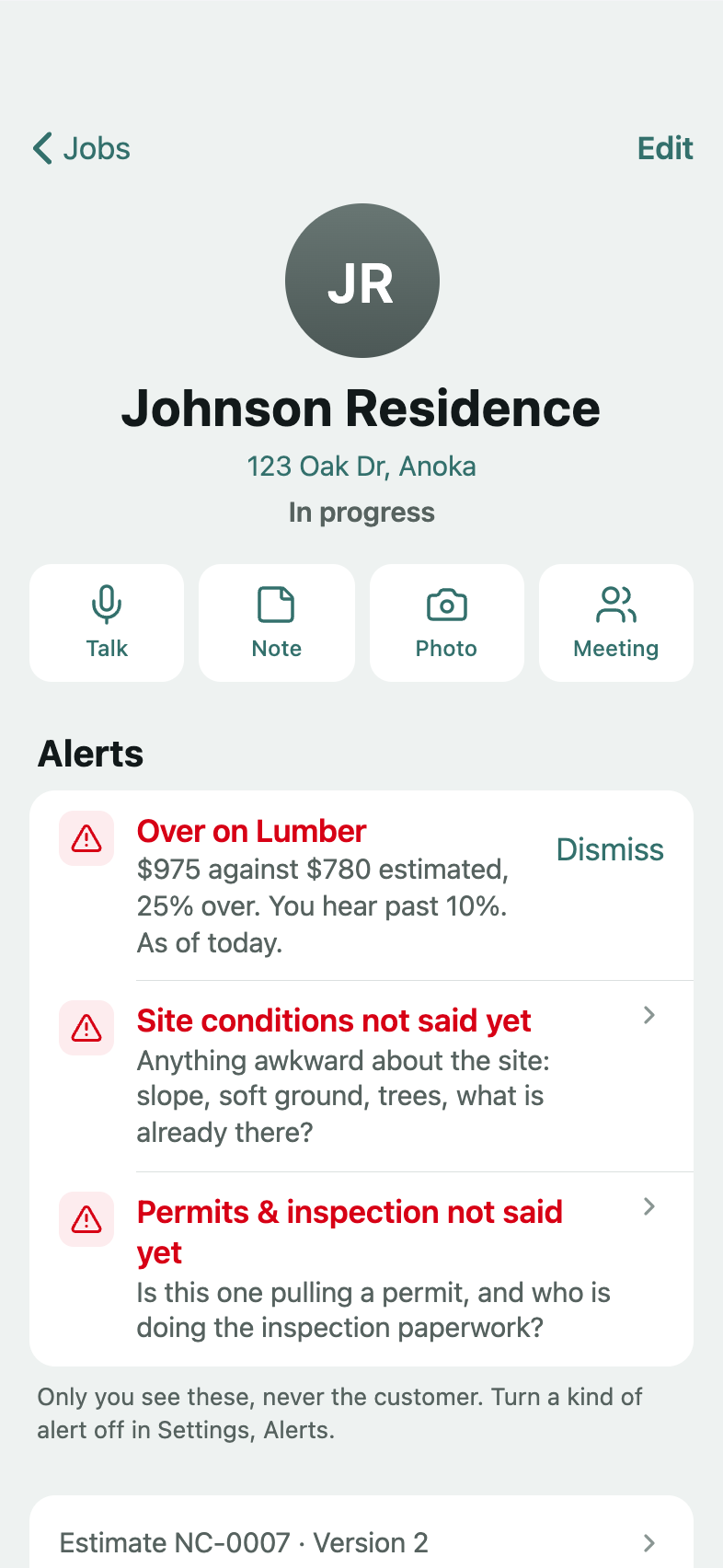
Your line
A part's alert starts past 10 percent over its estimate. Set your own in Settings.
09
Ask it, and read your numbers
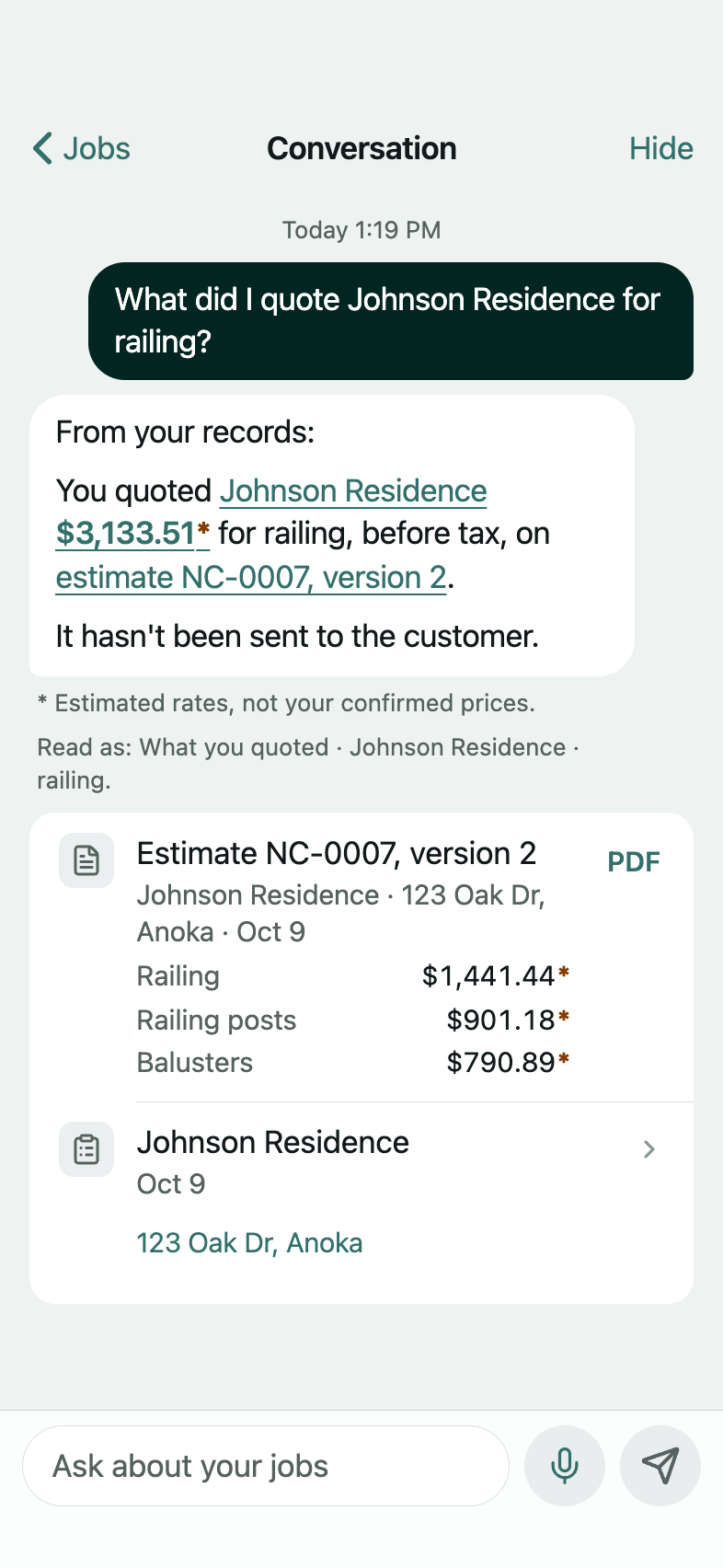
Ask about your customers and your quotes in plain words: a customer's number, what you quoted them, whether it went out, what a finished job cost you. Follow up the way you talk, like what did I quote them, and it knows who you mean. An answer from your record carries cards that open the job or the estimate it came from, and every figure in it is your record's, with its * where the rate is still an estimate. Ask what lumber costs at the store right now and it tells you that is not in your records.
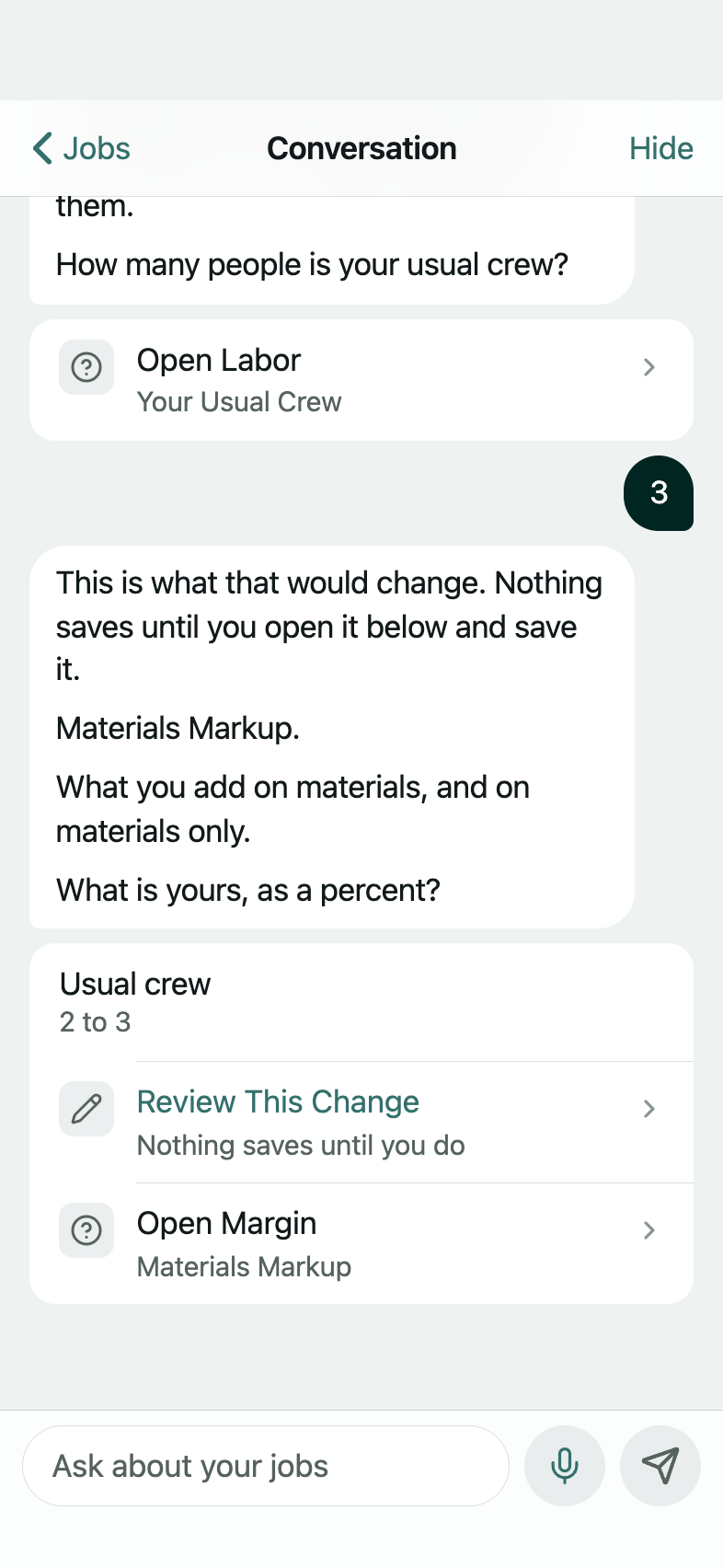
It also explains the app from the app's own documentation, and walks your costs and rules with you: each new figure becomes a change you review, and nothing saves until you do. Today shows what needs you, and your numbers are two: how far off your estimates were and whether that gap is narrowing, and how many jobs you have reconciled. Under three finished jobs it says so instead of giving a percent.
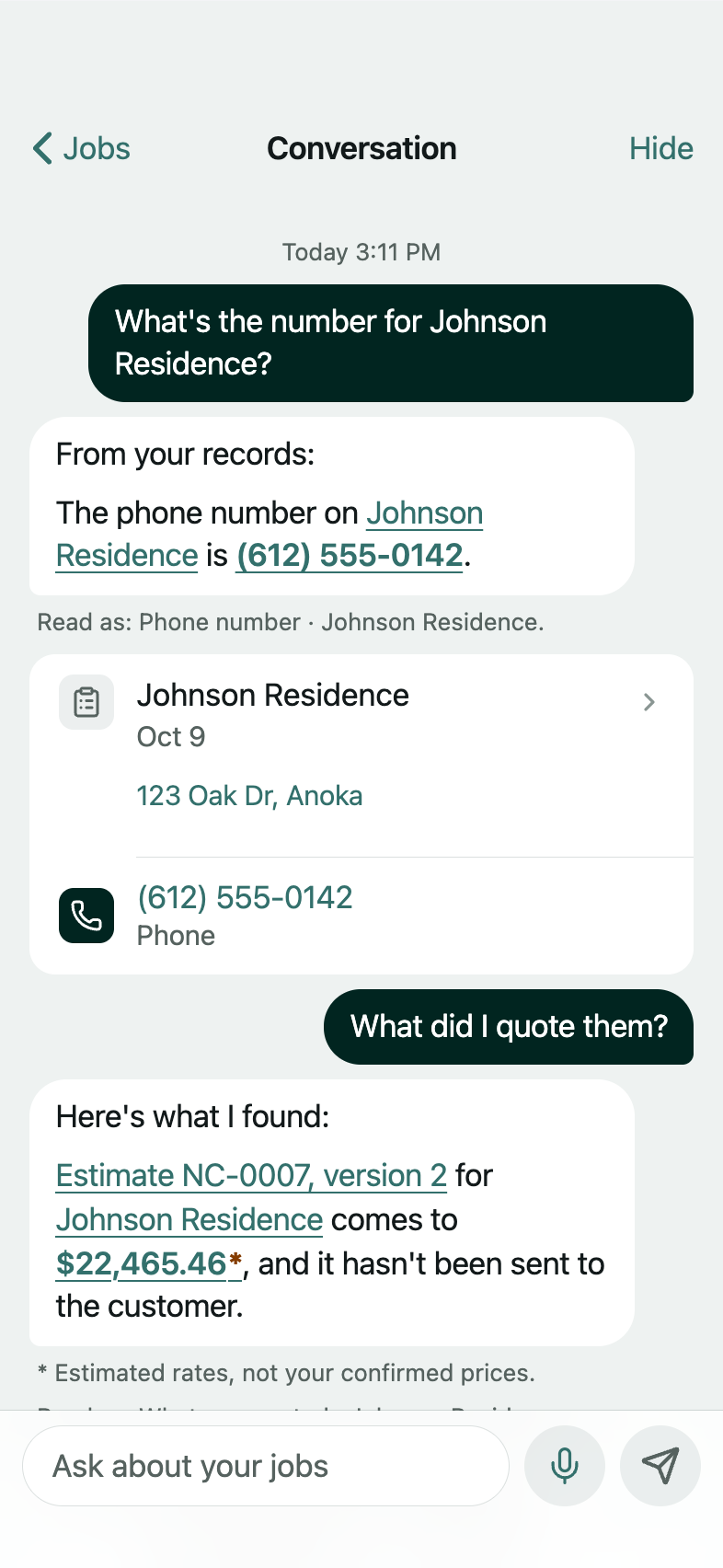
Follow-ups
Say "it" or "them" and the app knows the job you just asked about.
Under the hood
It prices from your setup and answers from your record
The code prices every line from your setup: your rate where you set one, a regional estimate marked with a * where you have not, and the quantities from what you said. The chat answers from your record and explains the app from its own documentation. Ask it to walk your setup and it proposes one change at a time, saving nothing until you do.
- Your price book
- Your rules
- Your stores
- Your jobs
- What jobs cost
- Your notes
- Price bookevery rate, marked until it is yours
- Markupoverhead and profit, and per part if you set one
- Laboryour day rate and your usual crew
- Your rulesfees, discounts, your smallest job
- Storeswhich part you buy where; your lists follow it
- Jobsevery job, its stage in words
- Estimatesevery version, and when each was sent
- What it costeach part, and the job against its estimate
- Receiptsonly the lines you confirmed
- Notes and takeswhat you said on site, in your words
- Photos and schedulewhat you shot, and when each job runs
Sample data Live. From your setup and what you said: your rates where you set them, the rest marked.
Lit: what the phone is drawing on. Switch it to see the others.
Playground
Tap through it yourself
The prototype, already signed in on a sample account: its jobs, its estimates, a finished job with its costs, a price book, settings. Walk a new job through to its estimate, open one that exists, or start as a new contractor and walk the setup. Nothing is saved and nothing is sent.
The app itself is shown live on request, on a sample account: ask for it when we get in touch.
Sample data Northline Construction is a fictional business. Every figure is the prototype's sample.
Request early access
Talk to Quote is in early access. Tell us a little about your business and we will be in touch.