Build: agents
Agents
Software that reads, decides and acts, with receipts. Not a chatbot: files you can open, tools it is allowed to touch, memory it keeps, rules that stop it.
Trigger
an email, a form, a question, a schedule
Agent
reads, decides, acts, repeats
Output
a record updated, a draft, an answer with its source
- 01
Instructions
always loadedCLAUDE.mdAGENTS.mdskills/*/SKILL.md
- 02
Tools
loads when used.mcp.jsonscripts/- Gmail
- Google Drive
- HubSpot
- Slack
- QuickBooks
- Google Calendar
- 03
Memory
loads on demandmemory/memory.mdthe context window
- 04
Guardrails
always loadedpermission modeshooks/a human says yes
Only the instructions are in the room at rest. Tools and memory arrive when a task calls for them; guardrails sit under everything.
It starts when something happens
An email lands, a form is filled, a document arrives, a schedule fires, or someone asks a question. Nobody has to remember to run it.
Its instructions are files you can read
Plain text, in your own folder, saying what it does and what it must never do. Change the file and you have changed the agent.
It only touches the tools you connect
Your inbox, your files, your CRM, your calendar. Each one is listed by name, and each one can be read-only if you want it that way.
It remembers in plain files too
What it learned, what it decided, what it was told. Readable by a person without the system, and yours to keep if you ever switch it off.
Rules that stop it, running as code
A person says yes before anything that cannot be undone. Every run leaves a receipt of what it read, what it did and what it left alone.
The difference
An agent is not an automation.
The same job, run twice. Watch where the line stops and what the loop does instead.
An invoice goes past due. The workflow does what it always does.
All of this is true, and outside the workflow. It cannot see any of it.
The workflow
- 01The invoice goes past dueQuickBooks marks it. The workflow starts.
- 02Send the reminderIn your voice, with the payment link.
- 03Wait the set number of daysThe same wait, every time.
- 04Send the next reminderAnd the one after that, on the same schedule.
The end of the workflow
An automation is a line. Trigger, steps, output, the same every time, inside a boundary it cannot leave. When the input is what the steps expect it is perfect, and when it is not, it carries on anyway.
You want both. Automations for the work that never varies, agents for the work where the situation moves. Most of what we build is an automation with an agent in one seat.
The ring is not a limit. It is the instruction
An agent is not loose. Its instructions are files you can read, it touches only the tools you connect, and anything it cannot undo waits for a person. It runs at any hour, in whatever capacity the job needs, inside the ring you drew.
The longer version, with the test for which one you need, is on the blog: agent or automation?
The roster
The agents we build.
Grouped the way a business is. Pick one and watch it work: what it reads before it decides, what it does, and the thing it will not do without you.
Sales and pipeline
Service delivery
Money
Operations
Knowledge
The lead responder
Answers every new lead while they are still on the page, and books the visit.
RunsWatching, every minute of every day.
The lead responder
- The form
- The CRM
- Past threads
- The diary
- Your rules
Hi Dana, Sam here. We looked after Miller Homes before.
Thursday morning is open, with the same crew.
What came back
You stop losing the ones who filled in a form on a Sunday night.
These are the roles we build. Yours would read your files, touch only the tools you connect, run on its own schedule, and leave a receipt of every run.
Built for clients
The same anatomy, in someone else's stack.
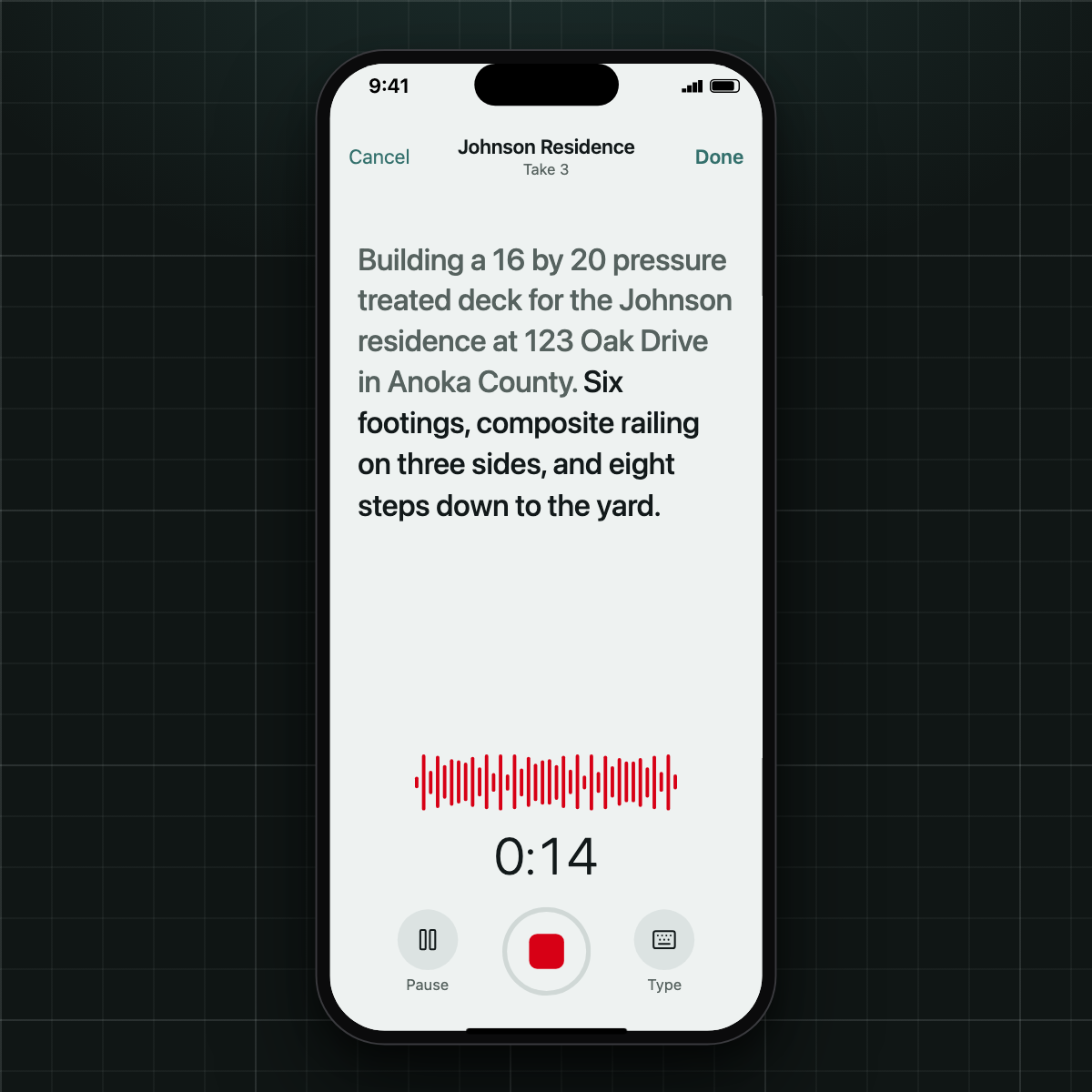
AI Systems
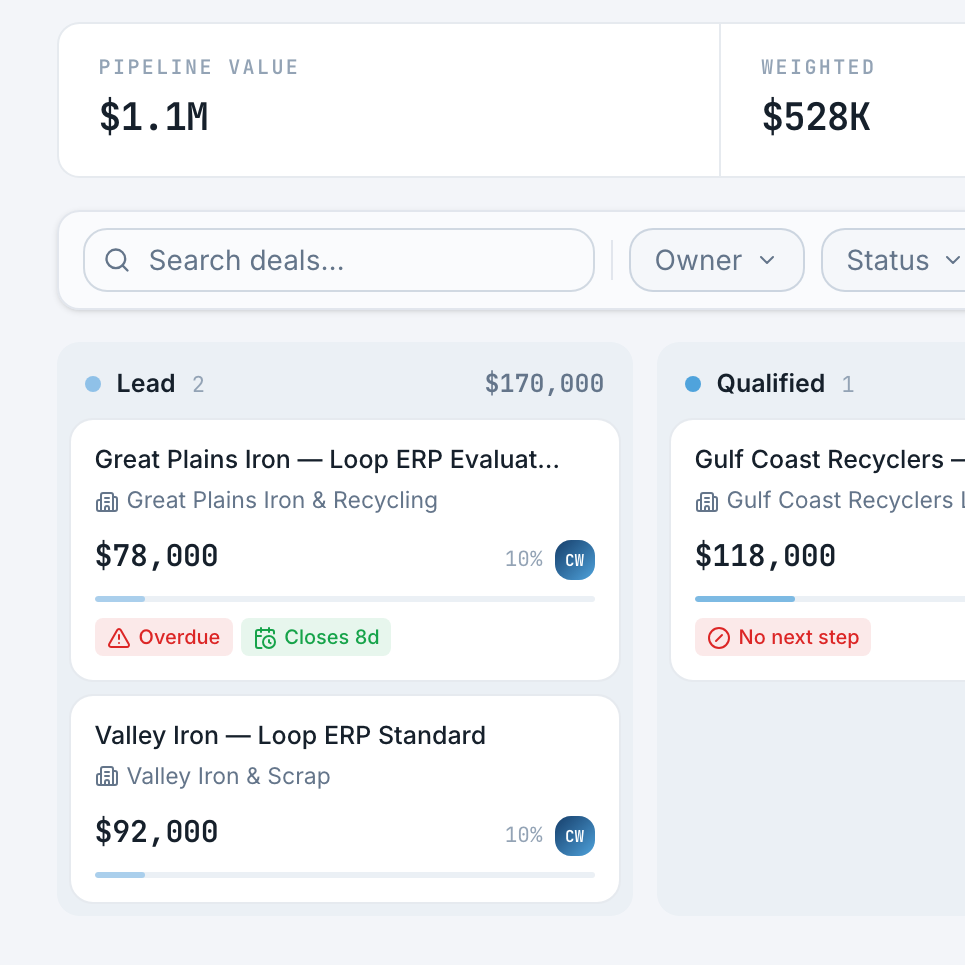
AI Platform
Sales & Growth
Where in your day would one of these sit?
What one costs to build is on the three prices.